 AvioADSB
ADS-B Receiver Without a Raspberry Pi: Your Options
Build an ADS-B receiver without a Raspberry Pi: use an old PC, a mini PC or a Windows laptop with an RTL-SDR dongle, then feed AvioADSB in minutes.
You can build an ADS-B receiver without a Raspberry Pi. The Pi is popular because it is cheap and quiet, but the decoder software only needs a computer, an RTL-SDR dongle and a 1090 MHz antenna. An old laptop, a mini PC or a spare desktop all work.
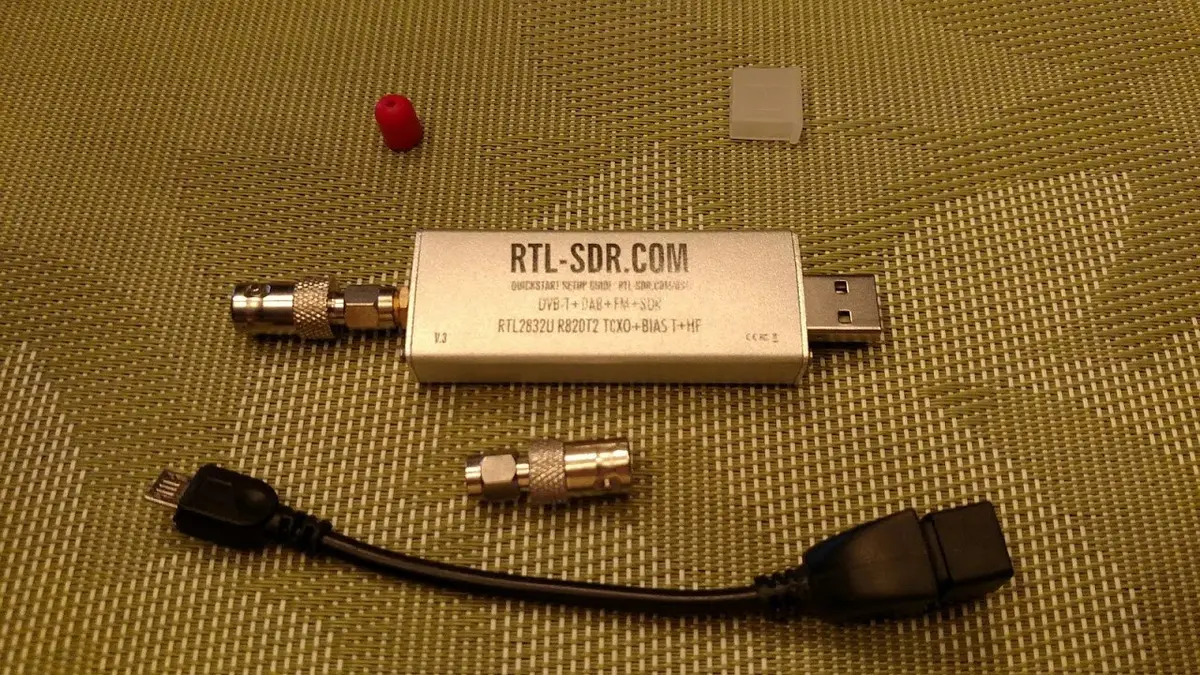
An RTL-SDR dongle. Photo: Joeceads, CC BY-SA 4.0, via Wikimedia Commons.
What the computer actually has to do
The computer reads samples from the USB dongle, decodes the 1090 MHz messages, and passes them on. AvioADSB's hardware guide lists the requirement simply: "a PC or Raspberry Pi to run the decoder". The wiedehopf ADS-B wiki goes further and says its main components can be used on any architecture, not only the Pi, so the Pi is a convenience, not a requirement.
Which computers work
- Old laptop or desktop running Linux. The
readsbproject builds Debian packages and the wiki covers Raspbian, Debian and Ubuntu installs. This is the easiest non-Pi route if you already own the machine. - Mac. The readsb README says it "should be (largely) compatible with macOS, on both Intel and ARM architectures", and offers
brew install readsb. - Windows PC. The AvioADSB hardware guide names
dump1090andADSBScopefor Windows, and the feeder script comes in a PowerShell version. - Docker on any host. The readsb repository includes a Dockerfile, and the adsb-ultrafeeder container is built on it.
Keep it close to the antenna if you can. A long USB cable adds loss and noise, so a small always-on machine near a window or attic works better than a desktop across the house. See antenna placement for why the coax run matters more than the computer.
Set up a non-Pi receiver
-
Plug in a dongle. Any RTL2832U-based dongle works, around $25 according to the hardware guide. See the dongle comparison.
-
Connect a 1090 MHz antenna, as high and clear of obstructions as you can manage. The DIY antenna guide costs very little.
-
Install a decoder. On Debian or Ubuntu the hardware guide gives:
sudo apt install dump1090-faFor
readsbon Debian, follow the readsb install guide, which applies to any Debian-based machine, not only a Pi. -
Check the output. The decoder should serve SBS data on port 30003, which is what the AvioADSB feeder reads.
-
Add a map. tar1090 gives you a local live map.
What to watch for
- Power use. A desktop left on all day costs more than a Pi. A laptop or mini PC is usually a better always-on machine than a tower.
- USB stability. Plug the dongle straight into the machine or a powered hub.
- Low message counts. If numbers look poor, the cause is almost always the antenna, not the computer. See low message rate fixes.
Feed AvioADSB from any computer
The getting started guide works the same on any system: create a free account, add a receiver on the dashboard, then run the feeder script from its Setup panel. There is a Linux and macOS script, and a PowerShell script for Windows. It reads SBS from 127.0.0.1:30003 and relays it to the network. Already feeding other networks? The multi-network guide shows how to share one receiver.
Next step
Got a spare computer and a dongle? Connect your receiver in a few minutes and join AvioADSB. Still shopping? Start with the hardware list.