 AvioADSB
DIY 1090 MHz Antenna: Build a Ground Plane for ADS-B
Build a DIY 1090 MHz antenna from a few wires and a connector. Exact element lengths, step-by-step assembly and tips to connect your receiver to AvioADSB.
A DIY 1090 MHz antenna is one of the cheapest ways to improve an ADS-B receiver. The classic design is a quarter-wave ground plane: one vertical wire of about 69 mm, plus a few radial wires of the same length, soldered to a connector. Aircraft transmit ADS-B on 1090 MHz, which has a wavelength of about 275 mm, and a quarter of that is where the 69 mm comes from (Luc Small's antenna experiments).
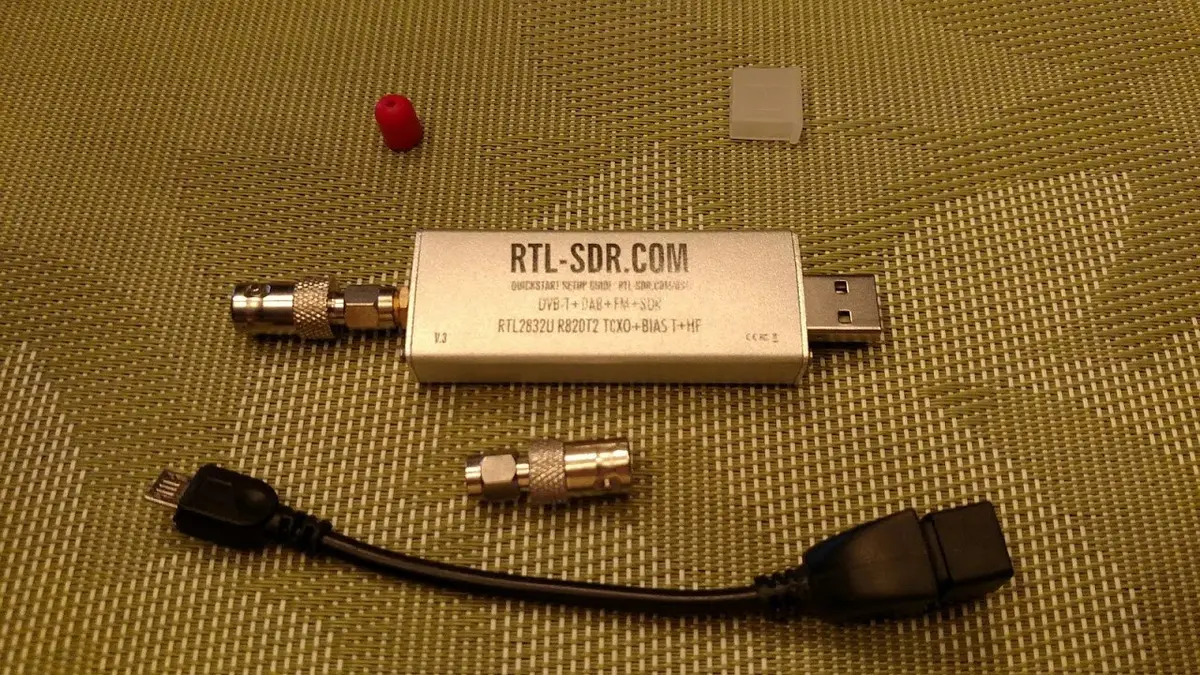
An RTL-SDR dongle. Photo: Joeceads, CC BY-SA 4.0, via Wikimedia Commons.
How a ground plane antenna works
The vertical wire is the part that picks up the signal. The radials underneath act as the "ground" the wire needs, and they are also cut to a quarter wavelength. The diagram below shows the layout.
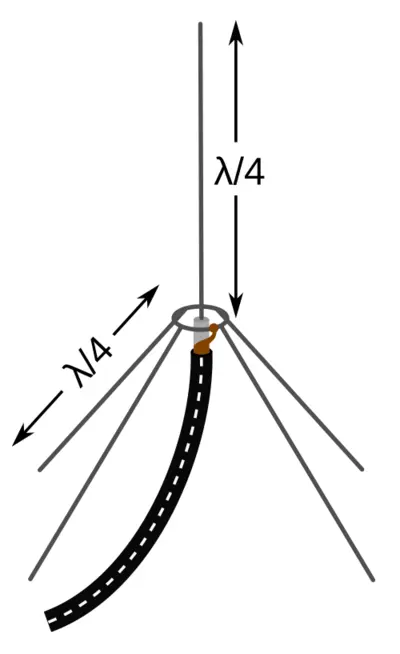
Ground plane antenna: the vertical element and each radial are λ/4. Diagram: Chetvorno, CC0, via Wikimedia Commons.
What you need
- About 1 mm solid-core copper wire (builders strip the insulation or use enamelled wire)
- A coax connector that fits your dongle's cable, such as an F connector
- A metal base for the radials, for example a can lid or end cap, or just the radials themselves
- A ruler or calipers, a soldering iron and some coax to reach your dongle
The parts are scrap-box cheap, which is the point. At 1090 MHz, small errors in length matter, so measure carefully.
Build a 1090 MHz antenna step by step
- Cut the vertical element. Aim for 69 mm of exposed wire from the connector. Cut a little long and trim to length, as one builder did when making a coffee-can version.
- Attach it to the connector. Solder or clamp the wire to the centre pin so exactly 69 mm sticks out.
- Add radials. Cut four to eight wires at 69 mm each. Luc Small's builds range from 4 to 16 radials, bent down at roughly 45 degrees. Solder them to the connector body or metal base.
- Connect and test. Attach the coax to your dongle and look at your decoder's local map. Planes should appear within a minute or two.
- Mount it high. Radio at this frequency travels in straight lines, so height and a clear view of the sky matter more than the exact design.
Quick win: trim the stock antenna
If your RTL-SDR kit came with a telescopic antenna, extend it to about 69 mm instead of building anything. Luc Small found a stock antenna cut from 115 mm to 69 mm gave a noticeable improvement.
How much better can it be?
Results depend on your location. One coffee-can build measured resonance near 1077 MHz and reported range growing from 50-60 nautical miles to more than 120, though that is a single builder's report from one site, not a guarantee.
From antenna to feeder
Once you see aircraft on your local map, you are ready to share them. If you are still choosing a computer and dongle, follow the Raspberry Pi receiver guide or the hardware list. Already feeding another network? You can keep doing that and feed AvioADSB too.
Ready to connect your receiver?
Connect your receiver to AvioADSB in a few minutes: create a free account, add a receiver and run the feeder script.