 AvioADSB
RTL-SDR Gain Settings for ADS-B: How to Tune
Learn how RTL-SDR gain settings affect ADS-B range, how to measure strong signals, and how to set gain in readsb. Then connect your receiver to AvioADSB.
RTL-SDR gain settings for ADS-B control how much the dongle amplifies the 1090 MHz signal before decoding. Too little gain and you miss distant aircraft. Too much and strong nearby signals overload the receiver while noise gets amplified too. For most feeders the right answer is the automatic setting, and this page also shows how to check it and tune it by hand.
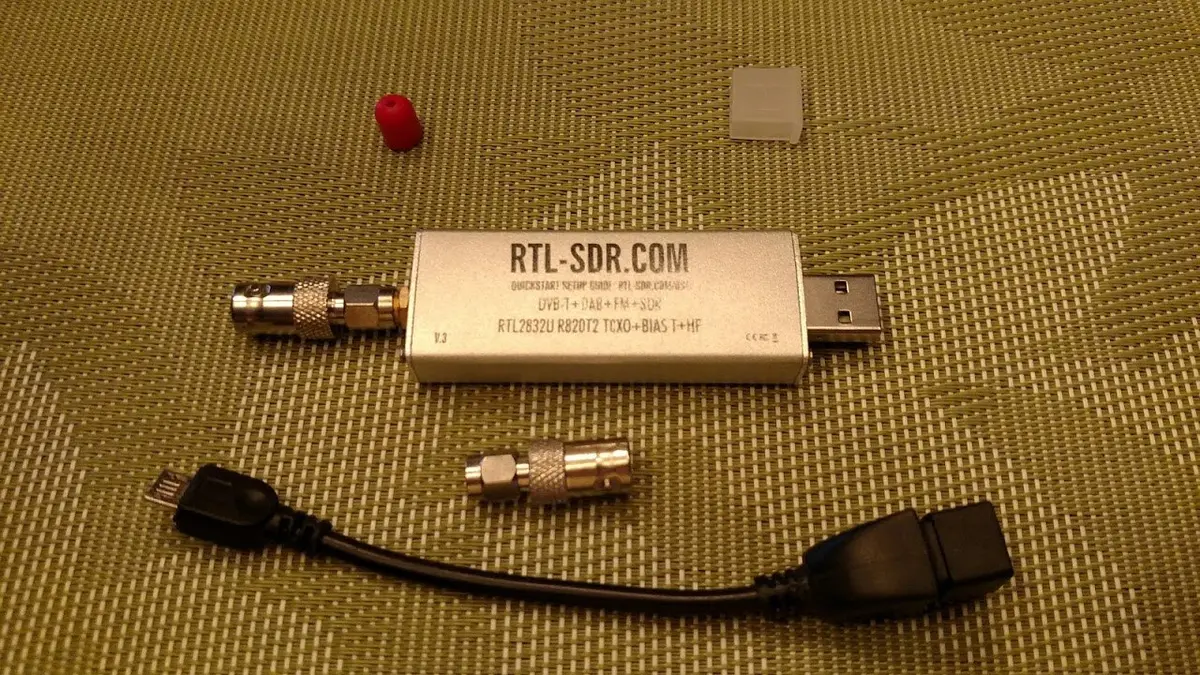
An RTL-SDR dongle. Photo: Joeceads, CC BY-SA 4.0, via Wikimedia Commons.
Start with automatic gain
The readsb README says that for RTL-SDR devices a software gain algorithm is the default and is "optimized for ADS-B". It is activated with --gain=auto, and --gain=auto-verbose adds log messages whenever the gain changes. The README adds that there should be no need to tweak its parameters.
If you followed our readsb install guide, you can switch to it with:
sudo readsb-gain autoGive it a day or two to settle before judging it. If your message rate still looks low afterwards, work through the low message rate checklist first, because antenna position and cable loss usually matter more than gain.
Why more gain is not always better
The wiedehopf gain guide warns that gain amplifies noise along with the signal. If noise is louder than the signal, more gain will not help and may not add range. The same applies to an LNA, covered in our filter and LNA guide.
Check your current gain
-
Print the gain currently configured:
grep -sh -e gain /etc/default/{dump1090-fa,readsb} -
Measure the percentage of strong messages. Install
jqfirst withsudo apt install jqif it is missing, then run the command from the gain guide:grep -sh . /run/{dump1090-fa,readsb}/stats.json | jq '.total.local | ((.accepted | add), .strong_signals, .signal, .noise)' | xargs -n4 echo | awk '{printf "\nPercentage of strong messages: %.3f\nSignal: %.1f\nNoise: %.1f\n", $(2) * 100 / $(1), $(3), $(4)}' -
Compare the percentage with the guide's targets.
What percentage to aim for
According to the guide, percentages around 5 are what you should aim for. Near an airport about 10 percent can be optimal, though 5 percent is still preferred. If close flyovers are rare and most traffic is distant, it suggests aiming for 0.5 percent or lower so that nearby aircraft are still received. The older adsb-scripts version of the page gives a range of 0.5 to 5 percent, so treat these as guide values, not exact limits.
Set a manual gain value
The RTL-SDR gain steps listed in the guide run from 0.0 up to 49.6, and a value of -10 enables hardware AGC, which the guide describes as the maximum possible gain for ADS-B, not a balanced setting.
- Pick a step: lower the gain if the strong message percentage is too high, raise it if too low.
- On a standard readsb install, open
sudo nano /etc/default/readsb, change the gain value and save. On an ADS-B Exchange image the file is/boot/adsb-config.txtinstead. The how to set gain page covers both. - Restart the decoder:
sudo systemctl restart readsb. - Wait at least 5 minutes, then measure again. Change one setting at a time.
From a tuned receiver to a shared network
A receiver with sensible gain hears more aircraft, and that makes your data more useful to everyone on the map. Feeding takes a few minutes and can run beside any network you already feed, as described in the multi-network guide.
Ready to connect your receiver?
Connect your receiver in a few minutes: create a free account, add a receiver and run the feeder script. Still choosing parts? Start with the AvioADSB hardware list.