 AvioADSB
ADS-B Coax Cable Loss at 1090 MHz: What to Use
Coax cable loss at 1090 MHz can cut your ADS-B range. Learn the 6 dB limit, which cable to pick and how to shorten the run, then feed AvioADSB.
Coax cable loss at 1090 MHz is one of the quietest ways to lose range on an ADS-B receiver. The rule of thumb from FlightAware is to keep total cable loss under 6 dB, because longer or lossier runs mean fewer aircraft messages. In practice that means a short run of good cable, or no long run at all.
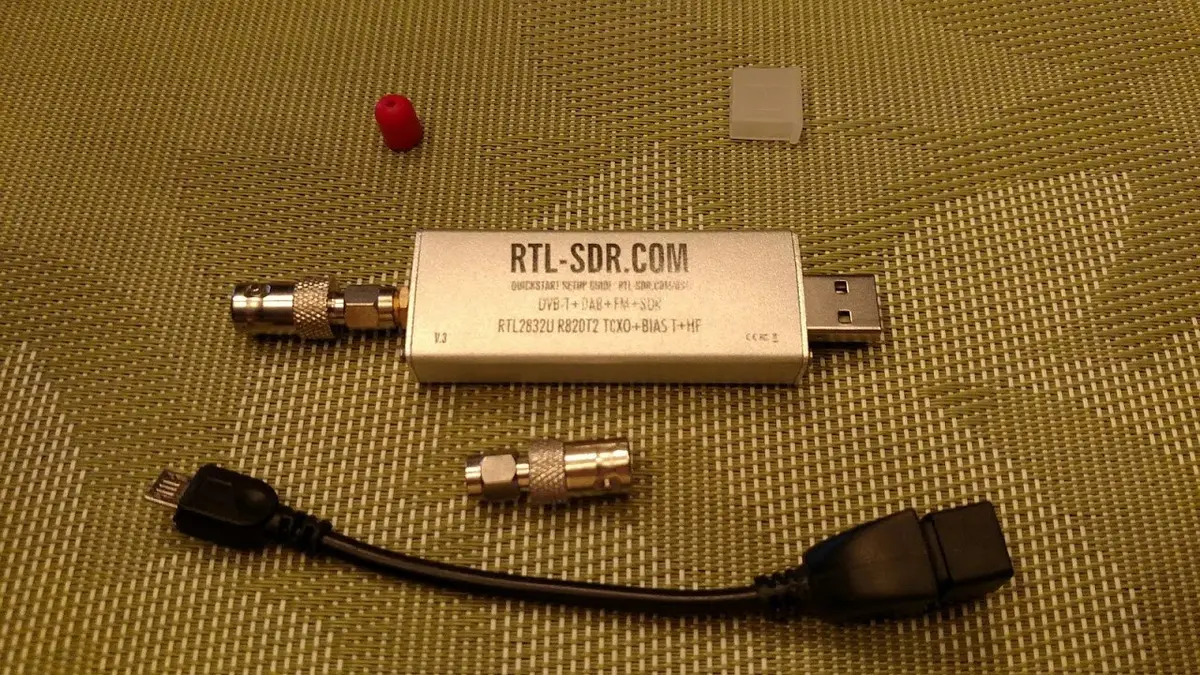
An RTL-SDR dongle, the receiver at the end of the cable. Photo: Joeceads, CC BY-SA 4.0, via Wikimedia Commons.
Why cable matters so much at 1090 MHz
ADS-B signals arrive at about a gigahertz, and cable loses more signal the higher the frequency. RTL-SDR.com puts it plainly: "At gigahertz frequencies long runs of cheap coax tend to reduce signal strength significantly." Every dB lost in the cable is a dB your antenna worked for and your dongle never sees, and the weakest, most distant aircraft disappear first.
How much cable loss is too much
FlightAware says the cable attenuation should ideally be below 6 dB, and that runs with more than 6 dB of loss will receive fewer aircraft messages. Check the loss figure in the datasheet of the cable you plan to buy for 1090 MHz, and multiply by your run length.
Which cable to choose
FlightAware's guidance for the cable itself:
- Keep it short: preferably under 15 metres (50 feet).
- Under 15 m: use at least LMR-240 or equivalent.
- Over 15 m: use at least LMR-400 or equivalent. Low-loss cable can be up to 15 mm thick and stiff, so plan the routing.
- Avoid flat coax. FlightAware does not recommend it, since it typically uses an F-type connector and is not made for 1090 MHz.
RTL-SDR.com also suggests satellite-grade cable such as RG-6, designed for gigahertz frequencies. Whatever you buy, match the connectors: most external antennas have an N-type female connector, while the FlightAware Pro Stick and Pro Stick Plus have an SMA female, so you may need an adapter. Our 1090 MHz antenna guide covers connectors in more detail.
The best fix: move the receiver, not the signal
Instead of running a long coax down from the roof, put the dongle next to the antenna and run a cable that does not care about frequency. RTL-SDR.com notes that some people place a Raspberry Pi at the antenna and send data over WiFi or Ethernet, and says that if possible you should place the dongle close to the antenna and use a powered USB cable to reach the computer. Our antenna placement guide shows where to mount the antenna in the first place.
An amplifier can also help overcome cable loss, according to RTL-SDR.com, but it adds its own noise and overload risks. Read the filter and LNA guide before buying one.
Check whether your cable is the problem
If your message rate is lower than you expect, work through the low message rate checklist and test with a shorter cable. A big jump in aircraft count tells you the cable was the bottleneck.
Next step
A receiver with a short, low-loss feed is ready to share what it hears. Connect your receiver to AvioADSB in a few minutes, alongside any network you already feed.
Sources: FlightAware optional hardware page, RTL-SDR.com ADS-B guide.