 AvioADSB
How to Become an ADS-B Feeder: Step by Step
Become an ADS-B feeder with an RTL-SDR, an antenna and a Raspberry Pi or PC. Here is what you need, the steps to follow and how to join AvioADSB.
To become an ADS-B feeder, you need a cheap USB radio, a 1090 MHz antenna and a small computer that decodes aircraft signals and shares them with a network. Most people are up and running in an afternoon, and the hardware guide says you do not need specialist equipment to start.
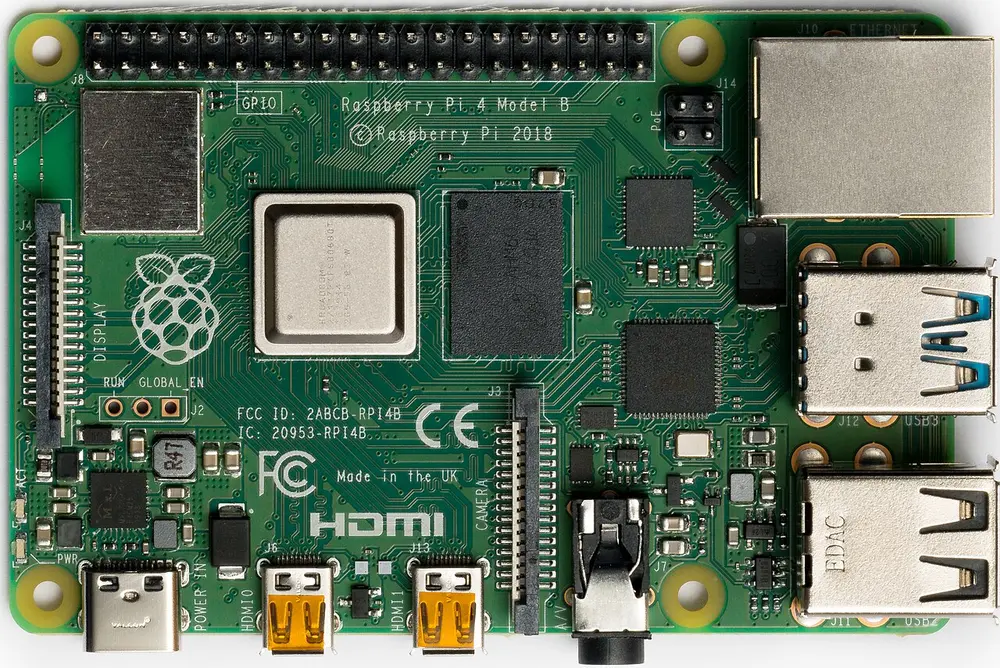
A Raspberry Pi 4 Model B. Photo: Laserlicht, CC BY-SA 4.0, via Wikimedia Commons.
What an ADS-B feeder does
Aircraft with an ADS-B transponder broadcast their position and altitude on 1090 MHz. A feeder is a person who receives those signals at home and forwards them to a network, so the data is shared instead of staying on one screen. The RTL-SDR project describes how a roughly $20 RTL-SDR dongle can act as a home aircraft radar, compared with commercial ADS-B receivers that it says can cost $200 to $1000.
What you need to become an ADS-B feeder
- An RTL-SDR USB dongle (about $25). Any RTL2832U-based dongle works. See what to buy.
- A 1090 MHz antenna. One is often included in RTL-SDR kits, and a dedicated ADS-B antenna (about $20 to $40) gives better range. You can also build your own.
- A computer to run the decoder, such as a Raspberry Pi or a PC.
For a full price breakdown, read what an ADS-B receiver really costs.
Steps to start feeding AvioADSB
- Build the receiver. Connect the dongle and antenna, and put the antenna somewhere with a clear view of the sky. The Raspberry Pi build guide walks through it.
- Run a decoder. Install
readsbordump1090-faon Linux, ordump1090on Windows. The readsb install guide has the steps. The decoder must output SBS data on port 30003. - Create a free account. Register at avioadsb.org/register and click the link in the verification email.
- Add a receiver. Open the dashboard, click Add receiver and give it a name. Latitude, longitude and antenna height are optional. They are stored privately, and public maps show your location rounded to about 28 km.
- Run the feeder script. Download the script for your system from the receiver's Setup panel and run it on the machine with your decoder. It reads from
127.0.0.1:30003, authenticates with your token and reconnects on its own. - Check it is online. Within a minute the dashboard should show your receiver as Online with an aircraft count.
Keep your feed token secret, because anyone who has it can feed data as your station.
What feeders get
Once your station reports aircraft, you can create an API key that moves to the Contributor tier: 1 request per second and 10,000 per month, with point queries up to 250 nm. The tier stays active while any of your receivers has shared data in the last 7 days. Your receiver also fills a gap on the shared map, which matters most where coverage is thin.
Already feeding another network?
You do not need a second receiver. One decoder can serve many feeders, as explained in feeding multiple networks from one receiver.
Set up your receiver and join AvioADSB
Ready to go? Start with the AvioADSB hardware list, then follow the getting started guide to connect your receiver in a few minutes.