 AvioADSB
ADS-B Receiver Not Receiving Aircraft? Fix It
ADS-B receiver not receiving aircraft? Check the dongle, decoder, power, antenna and ports in order to find the fault, then connect your receiver to AvioADSB.
If your ADS-B receiver is not receiving aircraft, the fault is almost always in one of five places: the dongle, the decoder software, the power supply, the antenna, or the network ports. Check them in that order, because each step rules out the next. This page is for a receiver that shows zero planes. If you see some aircraft but few, read the low message rate guide instead.
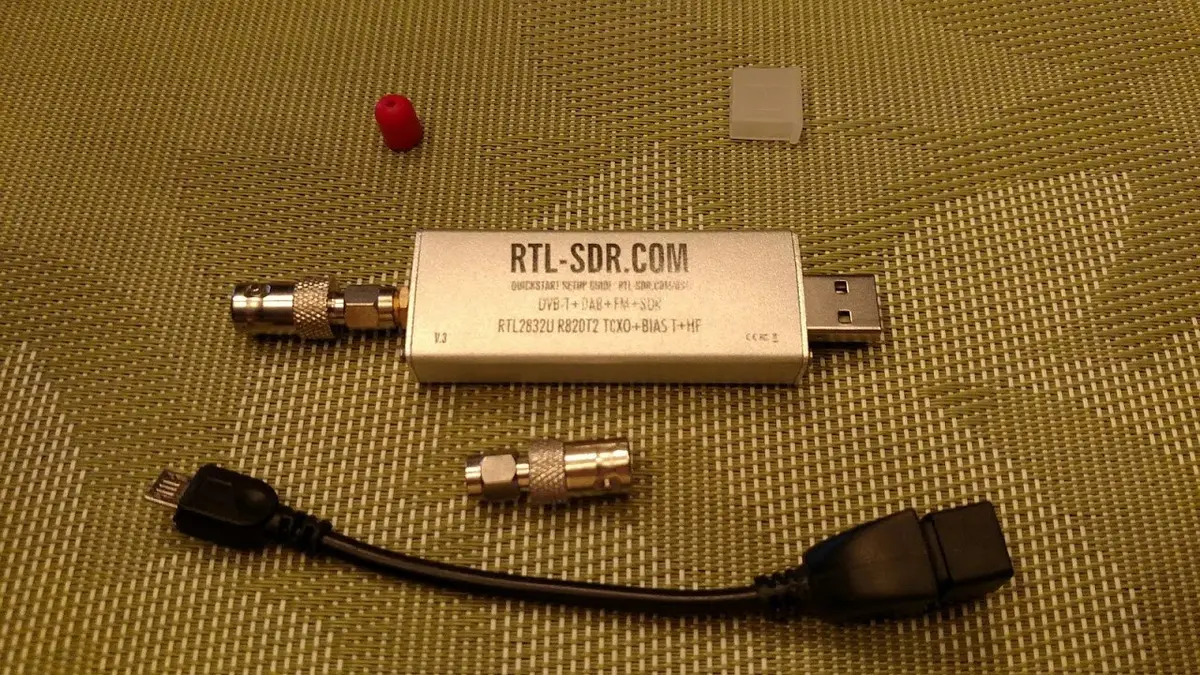
An RTL-SDR dongle. Photo: Joeceads, CC BY-SA 4.0, via Wikimedia Commons.
Step 1: Is the decoder running?
Look at the decoder's own log. The wiedehopf debug commands page lists the pattern for each service:
sudo journalctl --no-pager -u readsb
sudo journalctl --no-pager -u dump1090-fa
Use the one that matches your install. Errors about a missing or busy device point to the dongle or to a second program already using it.
Step 2: Does the dongle work?
Unplug it, plug it into a different USB port, and restart the decoder. If you run readsb with an RTL-SDR, the --device-type rtlsdr option must come before any other SDR-specific option on the command line, and --device selects the dongle by index or serial number when more than one is attached. The readsb README documents both.
Step 3: Is the Raspberry Pi getting enough power?
A weak power supply can make a dongle misbehave. The wiedehopf debug page lists two checks for a Raspberry Pi:
vcgencmd get_throttled
sudo dmesg --ctime | grep voltage
If either points to undervoltage, switch to a better power supply and a shorter, thicker USB cable.
Step 4: Is the antenna usable?
ADS-B is vertically polarized and line of sight, so RTL-SDR.com says the antenna should be vertical, tuned to 1090 MHz, and clear of trees and buildings. Strong FM, cell or TV signals nearby can overload a dongle, and a 1090 MHz filter can help. A receiver in a basement or behind thick walls may see nothing at all. Our antenna placement guide and window antenna guide cover the options.
Step 5: Are the ports and connections right?
The decoder shows planes locally, but nothing reaches a network until the ports line up. readsb's README lists SBS output on port 30003 and Beast output on port 30005 in its examples, and says that if another dump1090 or readsb runs on the same machine, you should change all the ports to avoid conflicts.
For AvioADSB's feeder script, AvioADSB's getting started guide says a working decoder prints MSG, lines when you run:
nc 127.0.0.1 30003It also says outbound TCP to port 31003 must be allowed. Your receiver should show Online on the dashboard within a minute.
When it works, share it
Once you see aircraft, you have a working station, and that is useful to others. You can feed AvioADSB from the same decoder you already run, alongside any other network. Still choosing parts? See our hardware guide.
Next step
Connect your receiver to AvioADSB in a few minutes: create a free account, add a receiver and run the feeder script.
Sources: wiedehopf debug commands, readsb README, RTL-SDR.com ADS-B guide.