 AvioADSB
How to Set Up an MLAT Feeder on Your Receiver
Add MLAT to your ADS-B receiver: check Beast output and clock sync, install mlat-client, and help locate aircraft that do not send a position.
To set up an MLAT feeder, you need a receiver that already works, Beast output on port 30005, a reasonably accurate system clock, and the mlat-client program running next to your normal feeder. MLAT lets a network find aircraft that never broadcast a position, and your receiver can be one of the stations that makes it possible.
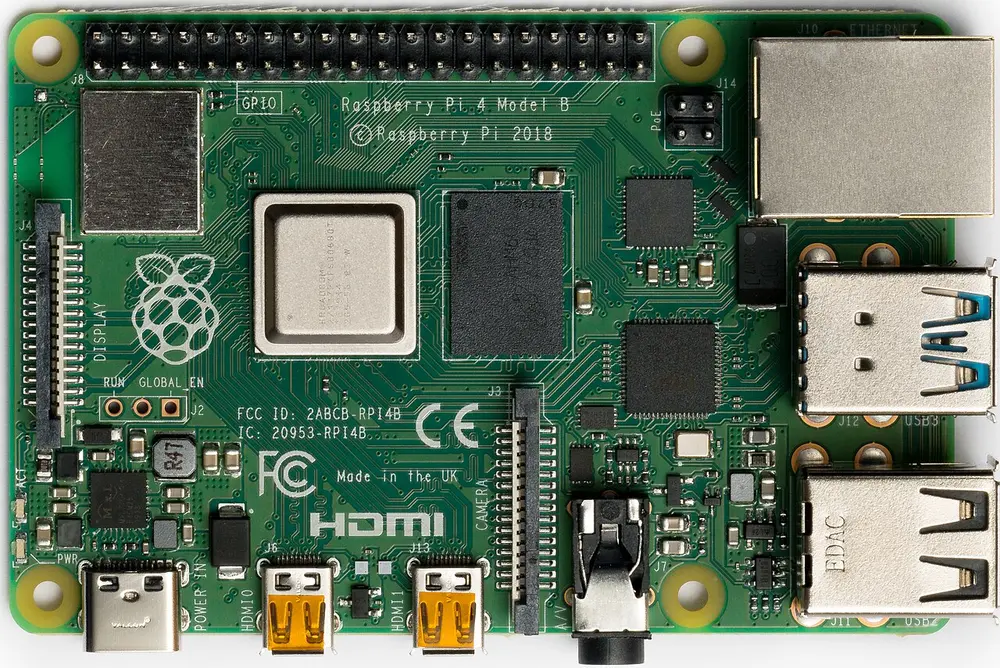
A Raspberry Pi 4 Model B. Photo: Laserlicht, CC BY-SA 4.0, via Wikimedia Commons.
What MLAT does
Plain ADS-B aircraft report their own position. Many older aircraft only answer with Mode S replies, which carry identity and altitude but no latitude or longitude. Multilateration works the position out anyway, from the tiny differences in when several stations hear the same reply. FlightAware describes the same idea on its MLAT page: it uses 1090 MHz Mode S signals and calculates position from time difference of arrival.
Two practical consequences:
- An aircraft has to be heard by several receivers at once. FlightAware says three are technically enough but it requires four for better accuracy and reliability, so more stations in one area means more MLAT positions.
- Your receiver is most useful when neighbouring receivers exist. FlightAware suggests stations 10-150 km apart, arranged in a triangle, square or circle rather than a straight line. That is a hint from one network, not a rule for every network.
What you need first
- A working ADS-B receiver. If you do not have one yet, follow the Raspberry Pi receiver guide and the readsb install guide.
- Beast output on port 30005. The AvioADSB hardware guide says readsb and dump1090-fa both provide it by default. The mlat-client README lists Beast output with a 12 MHz clock as the input it expects, with readsb and dump1090-fa among the supported sources.
- A well-synced clock. MLAT compares arrival times, so the hardware guide asks for a GPS-disciplined receiver or a well-synced system clock, and says NTP is normally enough.
- Your exact coordinates. You enter them when you enable MLAT, so measure them properly rather than guessing.
Set it up step by step
-
Check that NTP is running on the Pi. A fresh Raspberry Pi OS install normally keeps time synced when it is online.
-
Install the client:
sudo apt install mlat-client -
Open your station card on the dashboard and enable MLAT. Enter the station coordinates.
-
Copy the generated command. AvioADSB builds the exact
mlat-clientcommand for your station, pointed at the AvioADSB MLAT server. Run it alongside your existing feeder. -
Watch the results on the live map. MLAT positions are shown distinctly and marked
"type": "mlat"in the API.
Per the hardware guide, running MLAT does not change your API key tier. Sharing ADS-B does.
Things to know
- MLAT needs other stations nearby to produce anything. A lonely receiver can run the client and still see few results.
- Bandwidth is modest. FlightAware quotes about 50 Kbps of upstream for an MLAT-enabled feeder, which is its own figure and may differ on other networks.
- MLAT only reaches aircraft in line of sight of several receivers, so antenna placement still matters.
- The AvioADSB MLAT server is an unmodified wiedehopf/mlat-server, which is AGPLv3 licensed.
Add MLAT to a receiver you already run
MLAT works alongside feeding other networks, so there is no reason to give up what you already do. Not yet feeding AvioADSB? Connect your receiver in a few minutes: create a free account, add a receiver, run the feeder script, then come back and enable MLAT from the dashboard. Still choosing parts? Start with the AvioADSB hardware list.