 AvioADSB
UAT 978 MHz Receiver: What It Is and How to Build One
Build a UAT 978 MHz receiver: learn what the band carries, why you need a second SDR dongle, and how dump978-fa fits next to your 1090 MHz ADS-B setup.
A UAT 978 MHz receiver is a second radio on your Raspberry Pi, tuned to the 978 MHz data link that many small US general aviation aircraft use instead of 1090 MHz. You need an SDR dongle for that frequency, an antenna made for it, and a decoder such as FlightAware's dump978-fa. Your normal 1090 MHz ADS-B receiver does not hear these aircraft.
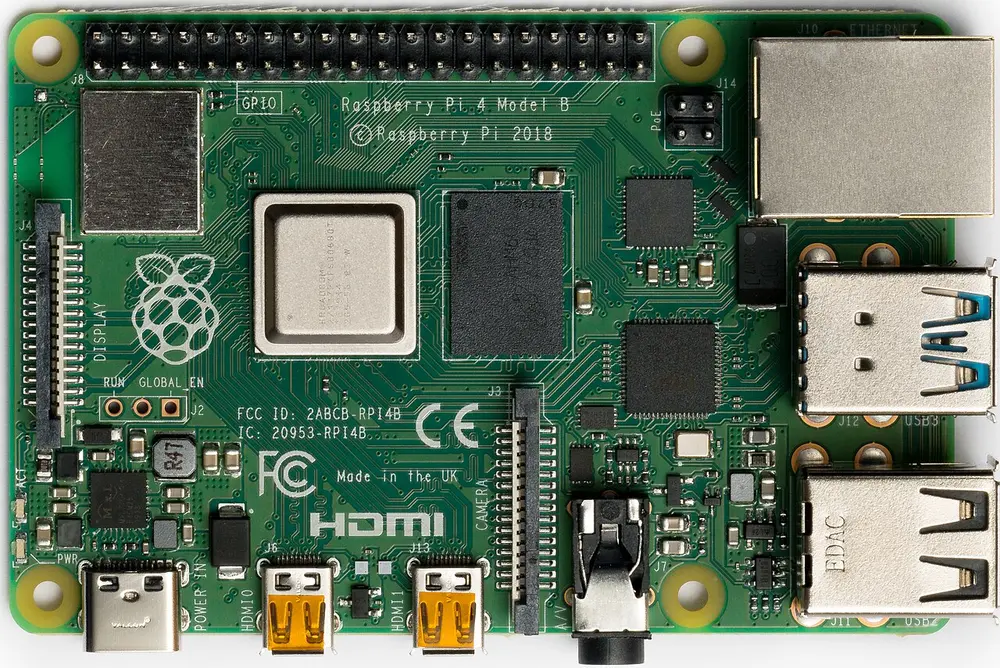
A Raspberry Pi 4 Model B. Photo: Laserlicht, CC BY-SA 4.0, via Wikimedia Commons.
What is UAT on 978 MHz?
ADS-B has two data links: 1090 MHz (1090 ES) and 978 MHz (UAT). According to Wikipedia's UAT article, UAT is aimed at US general aviation, it is approved in all airspace except Class A (above 18,000 ft MSL), and the FAA would like aircraft that fly only below 18,000 ft to use 978 MHz to reduce congestion on 1090 MHz. UAT also carries FIS-B weather and flight information in areas with ground infrastructure, which 1090 ES does not.
What this means for you: if you live in the US and want to see small planes that never show up on a 1090 MHz receiver, 978 MHz is where they are. Outside the US, UAT is rare, so a 1090 MHz receiver is the better first project.
What you need
- A Raspberry Pi that already runs a 1090 MHz receiver. The Raspberry Pi receiver guide covers that part.
- A second SDR dongle. A dongle listens on one frequency at a time, so 978 MHz gets its own. FlightAware notes its Pro Stick can be used on 1090 or 978 MHz; see our dongle comparison.
- An antenna made for 978 MHz. A 1090 MHz antenna is sized for a different frequency. The same ideas about height and clear sky apply, see antenna placement.
- A decoder. The dump978 project provides
dump978-fa, which talks to the SDR and demodulates UAT data, andskyaware978, which writes JSON files for the SkyAware map.
Set up the decoder
The dump978 README gives these steps. Check the repository for the current version before you start.
-
Install a SoapySDR driver for your dongle. For an RTL-SDR:
sudo apt-get install soapysdr-module-rtlsdr -
Build and install the packages, per the README:
dpkg-buildpackage -b
sudo dpkg -i ../dump978-fa_*.deb ../skyaware978_*.deb
The README warns that the package build is memory-hungry and a 1 GB Pi will fail.
-
Pick the right dongle. With two dongles plugged in, select the 978 one with
--sdr driver=rtlsdr,serial=<serial>. The README shows this serial syntax for choosing a specific dongle. -
Configure. Package installs read
/etc/default/dump978-faand/etc/default/skyaware978.--raw-portand--json-portexpose messages on TCP ports. Run--helpfor every option.
Does it work with AvioADSB?
AvioADSB's hardware guide and getting started pages describe 1090 MHz feeding, and they do not describe a 978 MHz feed. We will not claim otherwise here. A 978 MHz receiver is still a good companion project, and your 1090 MHz receiver is what connects you to the network.
Next step
Start with the 1090 MHz side: Connect your receiver in a few minutes and join AvioADSB, then add 978 MHz when you want to see more of the local sky.