 AvioADSB
VDL2 Receiver with RTL-SDR and dumpvdl2: Setup
Build a VDL2 receiver with an RTL-SDR and dumpvdl2: the antenna, frequencies and install commands, then feed the decoded aircraft messages to AvioADSB.
A VDL2 receiver needs three things: an RTL-SDR dongle, an antenna for the VHF airband, and the free decoder dumpvdl2. With those you can read the text messages that airliners exchange with the ground on 136.975 MHz. If you already run an ADS-B receiver, this is the natural second project: same computer, one more dongle, a different antenna.
Already decoding VDL2? Skip to feeding it to AvioADSB.
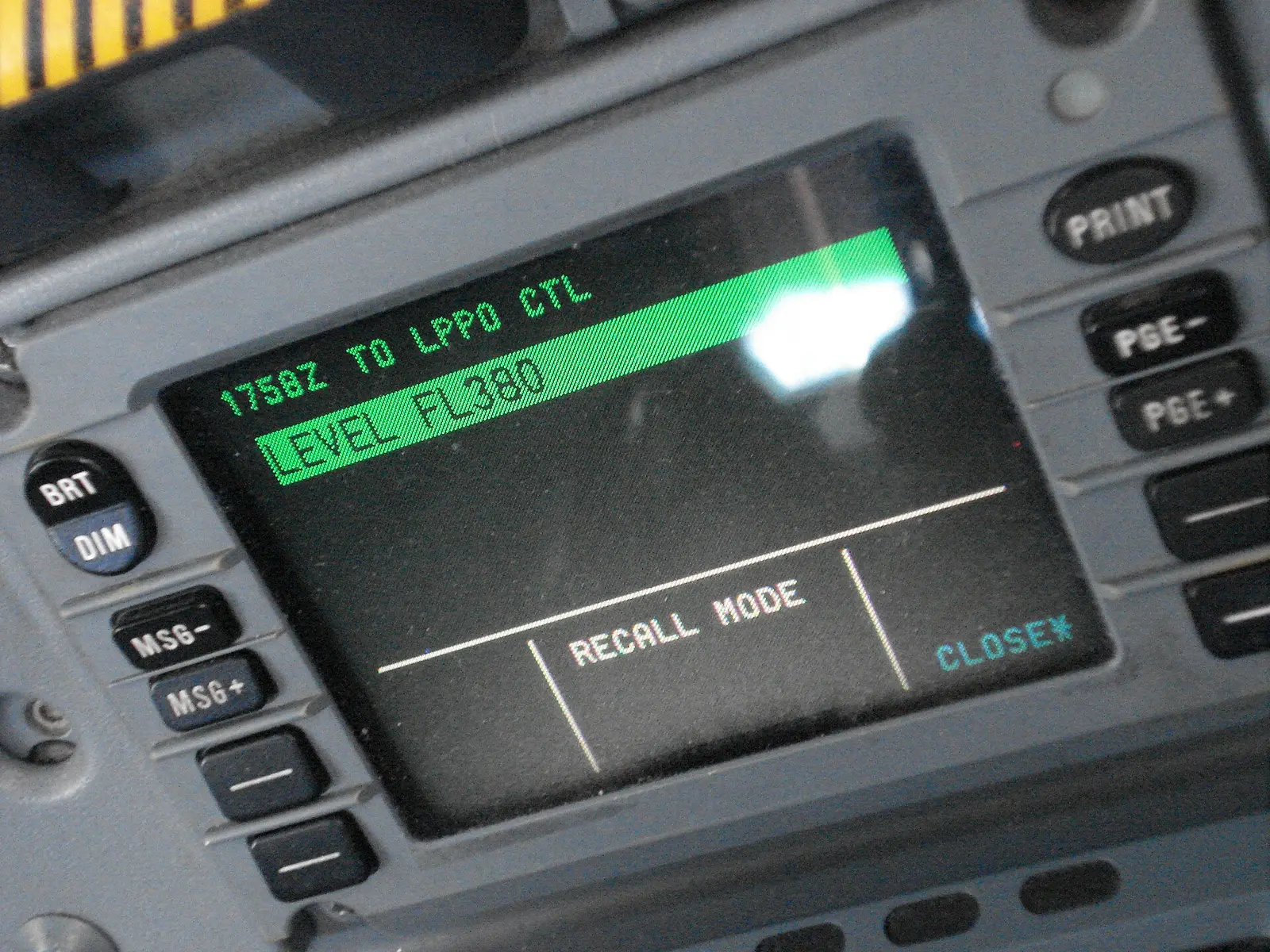
The datalink display on an Airbus A330, where pilots read controller messages (CPDLC), one of the message types dumpvdl2 can decode. Photo: SempreVolando, CC BY 3.0, via Wikimedia Commons.
What a VDL2 receiver picks up
VDL Mode 2 is a digital link between aircraft and a network of ground stations. The dumpvdl2 README describes it as having a higher capacity than ACARS and many more applications, used by large transport aircraft operators. dumpvdl2 decodes the ACARS messages carried inside it, plus CPDLC, the text link between pilots and controllers.
The most common frequency is 136.975 MHz, the Common Signalling Channel. Busy areas also use 136.725, 136.775 or 136.875 MHz. They are close enough together that one dongle receives all of them at once.
What you need for an RTL-SDR VDL2 receiver
- An RTL-SDR dongle. A dongle tunes one band at a time, so if yours is busy with ADS-B on 1090 MHz, add a second one. The RTL-SDR Blog store listed the V3 at $34.95 to $39.95 alone and $44.95 to $49.95 with a dipole antenna kit when we checked in November 2026. Our dongle guide compares the models.
- An airband antenna. Your 1090 MHz ADS-B antenna will not work here. A vertical dipole with elements of about 52 cm does, as our VDL2 reference page notes. The telescopic elements in that dipole kit extend from 23 cm to 1 m, so they can be set to length.
- A Linux computer. The Raspberry Pi that runs your ADS-B decoder is fine.
Placement matters as much as it does for ADS-B. The README warns that VDL2 transmissions are not very powerful, so an indoor antenna will hear little: put it outside and high, with a clear view of the sky and a short, good quality cable.
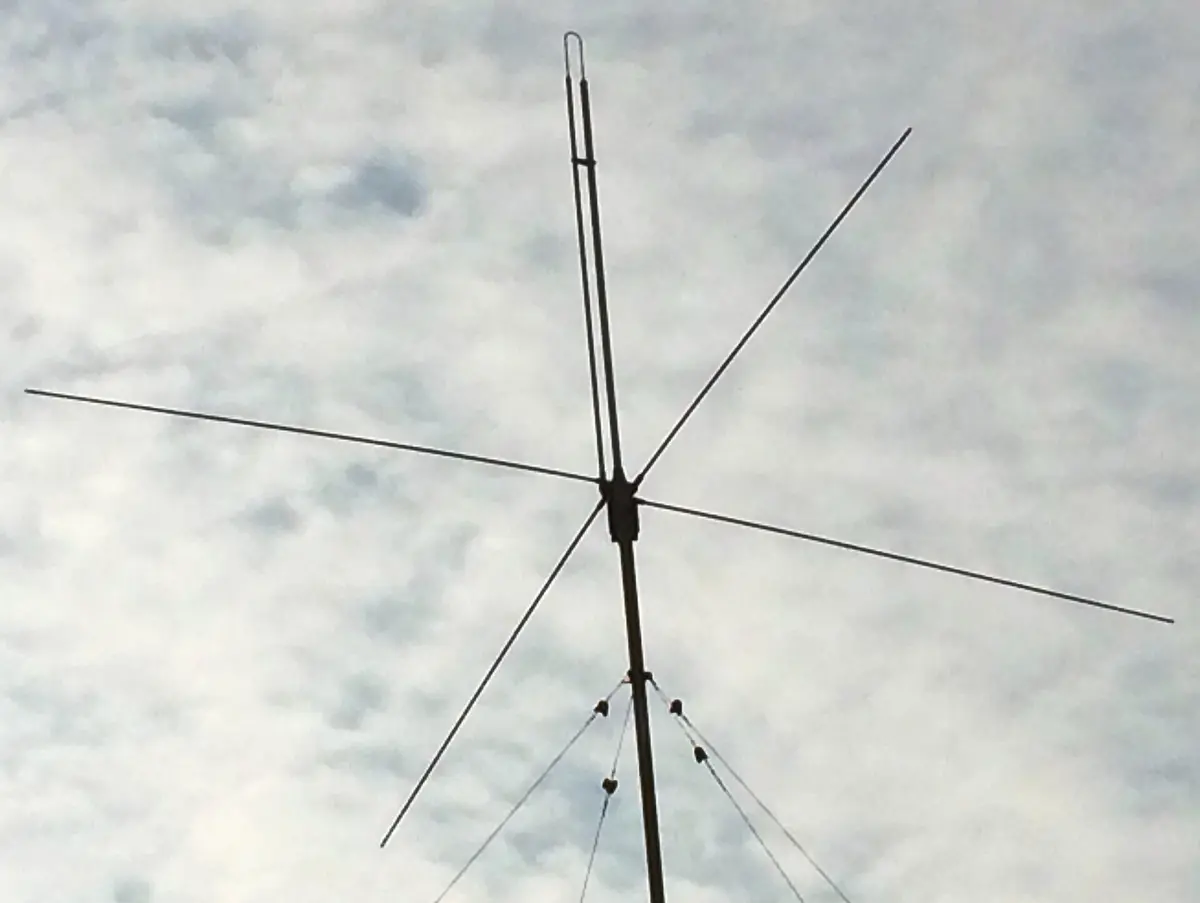
A VHF ground plane antenna, shown for illustration. VDL2 uses the VHF airband, so it needs an antenna of this kind rather than a 1090 MHz one. Photo: F1jmm, CC BY-SA 4.0, via Wikimedia Commons.
Install dumpvdl2
These are the steps from the dumpvdl2 README for Debian and Raspberry Pi OS.
-
Install the build tools and the RTL-SDR library.
sudo apt install build-essential cmake git libglib2.0-dev pkg-config librtlsdr-dev -
Build libacars, the library that decodes the message contents. Its README recommends installing zlib first, so compressed messages can be decoded.
sudo apt install zlib1g-dev libxml2-dev libjansson-dev cd git clone https://github.com/szpajder/libacars cd libacars mkdir build cd build cmake ../ make sudo make install sudo ldconfig -
Build dumpvdl2.
cd
git clone https://github.com/szpajder/dumpvdl2.git
cd dumpvdl2
mkdir build
cd build
cmake ../
make
sudo make install
Check the summary that
cmakeprints: thelibrtsdrline must sayenabled: TRUE. -
Run it on the default channel, with the dongle at index 0:
dumpvdl2 --rtlsdr 0 --gain 40Decoded messages print to the terminal as readable text. To listen on several channels, list them at the end:
dumpvdl2 --rtlsdr 0 --gain 40 136725000 136975000 136875000.
Prefer Docker? The docker-dumpvdl2 container packages the same decoder. It runs on amd64 and arm64, not on 32-bit ARM.
No messages? Check these three things
The README lists three usual causes when nothing decodes after a couple of hours.
- Weak signal. Aim for bursts about 15 dB above the noise floor. Around 40 dB of gain works well on an RTL-SDR, and maximum gain is not better, because noise rises with it.
- Wrong frequency. Start with the default, 136.975 MHz, which is used everywhere VDL2 is available.
- Tuning error. Cheap dongles drift. Run
rtl_test -pfor a few minutes to estimate the error, then pass it with--correction. Our PPM correction guide explains the number.
Feed your VDL2 receiver to AvioADSB
Coverage for aircraft messages follows the stations: an area with no VDL2 receiver has no messages on the shared map, however many aircraft fly over it. Feeding needs no account, key or UUID.
dumpvdl2 sends JSON over UDP or ZeroMQ, and AvioADSB takes TCP, so a small relay called acars_router sits in between. It listens for VDL2 on UDP port 5555 by default.
-
Send JSON to the relay by adding an output and a station name to your command:
dumpvdl2 --rtlsdr 0 --gain 40 136975000 136725000 136875000 \ --station-id XX-YYYY-VDL2 \ --output decoded:json:udp:address=127.0.0.1,port=5555 -
Run acars_router (this step needs Docker installed):
docker run -d --name acars_router --network host \ -e AR_SEND_TCP_VDLM2=feed.avioadsb.org:31006 \ ghcr.io/sdr-enthusiasts/acars_router:latest -
Confirm it arrives by opening the feed status page from the same network. It lists your station and its message count for the last hour.
Feeding another aggregator too? Keep it in the same variable, separated by ;. adsb.im does not send datalink to AvioADSB at the moment, so use this setup for VDL2 even if the rest of your station runs on adsb.im. The ACARS, VDL2 and HFDL guide has every variant. Before you share, read the data policy and check that receiving and sharing these transmissions is allowed where you live.
Your messages then appear on the live datalink page. VDL2 frames carry the aircraft's ICAO address, so each message is matched to the aircraft's ADS-B track.
Add ADS-B on the same computer
A VDL2 station is more useful next to an ADS-B one, since the positions give the messages their context. If the first dongle on your Pi is not yet feeding, connect your receiver to AvioADSB in a few minutes: one connector line in readsb, no account needed. No ADS-B hardware yet? Start with the hardware list.